
Microphone
Muted in OBS, silent for minutes, or no signal at all – it even notices when the selected device is unplugged.
SCENE GUARD FOR OBS STUDIO
 Stream Guard by Motti_TV
Know about problems before your chat does.
Muted mic, frozen game capture, missing file, dropped frames? While you are live, Stream Guard watches OBS and warns you right away – with a sound only on your headphones, a Discord DM and a key on your Stream Deck.
Version 1.3.2 · Windows 10/11 · OBS 28 or newer · app in German · free
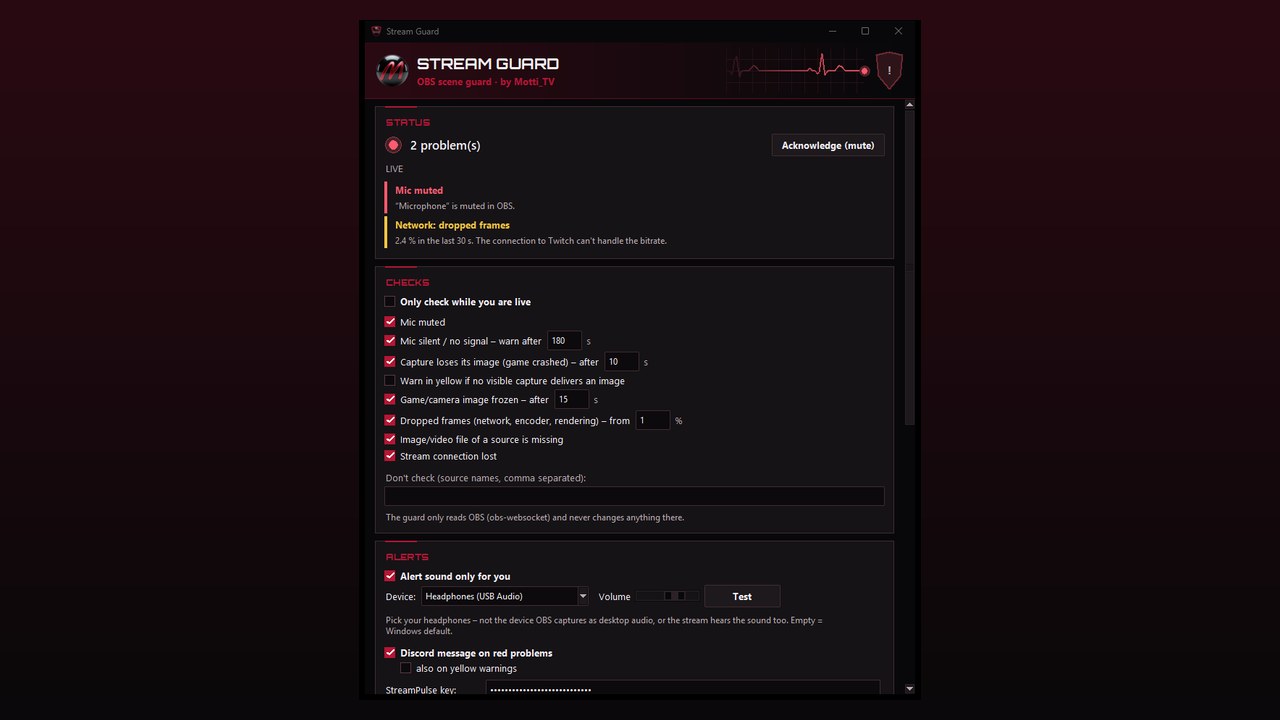
Muted in OBS, silent for minutes, or no signal at all – it even notices when the selected device is unplugged.
Warns when a capture that showed a picture loses it (game crashed, hook lost) or freezes. One capture per game in a scene is fine.
Network, encoder and rendering are checked separately – so you know whether it is your line, your preset or your GPU.
Image and video sources whose file was moved or deleted – nested scenes and groups included.
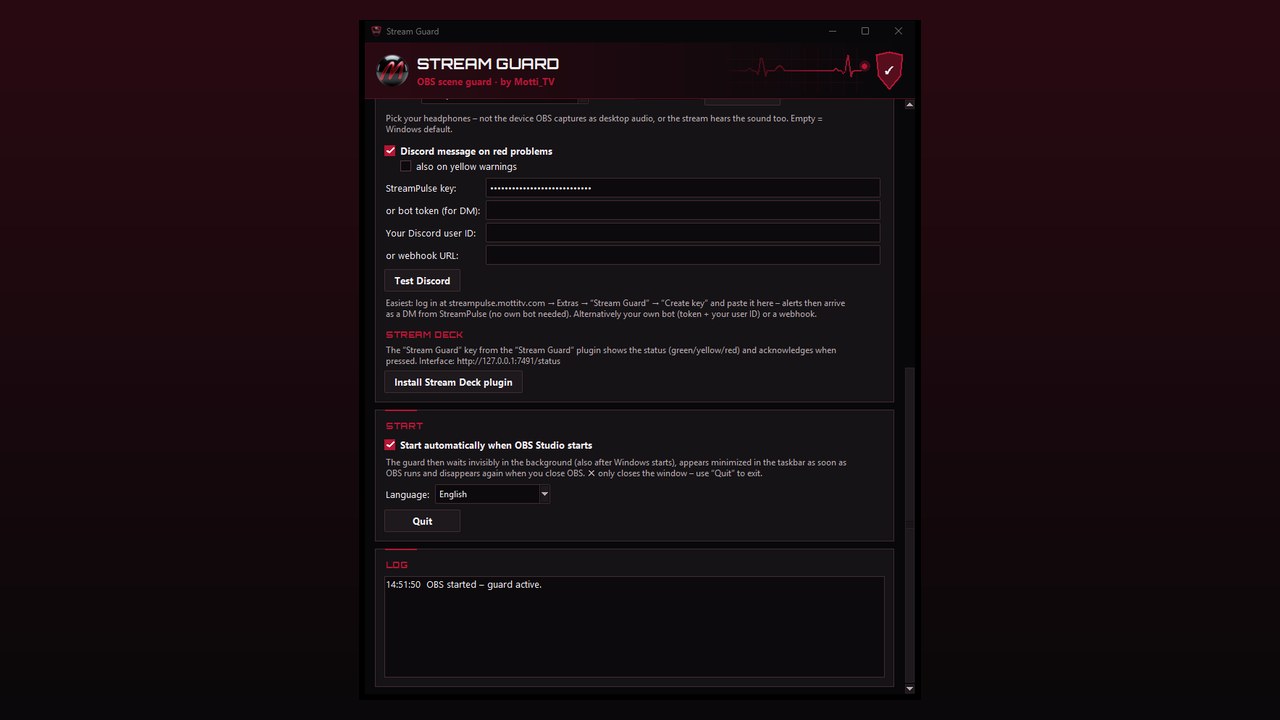
A sound only on your headphones (not on stream), a Discord DM via StreamPulse – no own bot needed – and a Stream Deck key that flashes red.
Optional: waits invisibly and appears as soon as OBS starts, disappears when you close OBS. It only reads OBS and never changes anything.
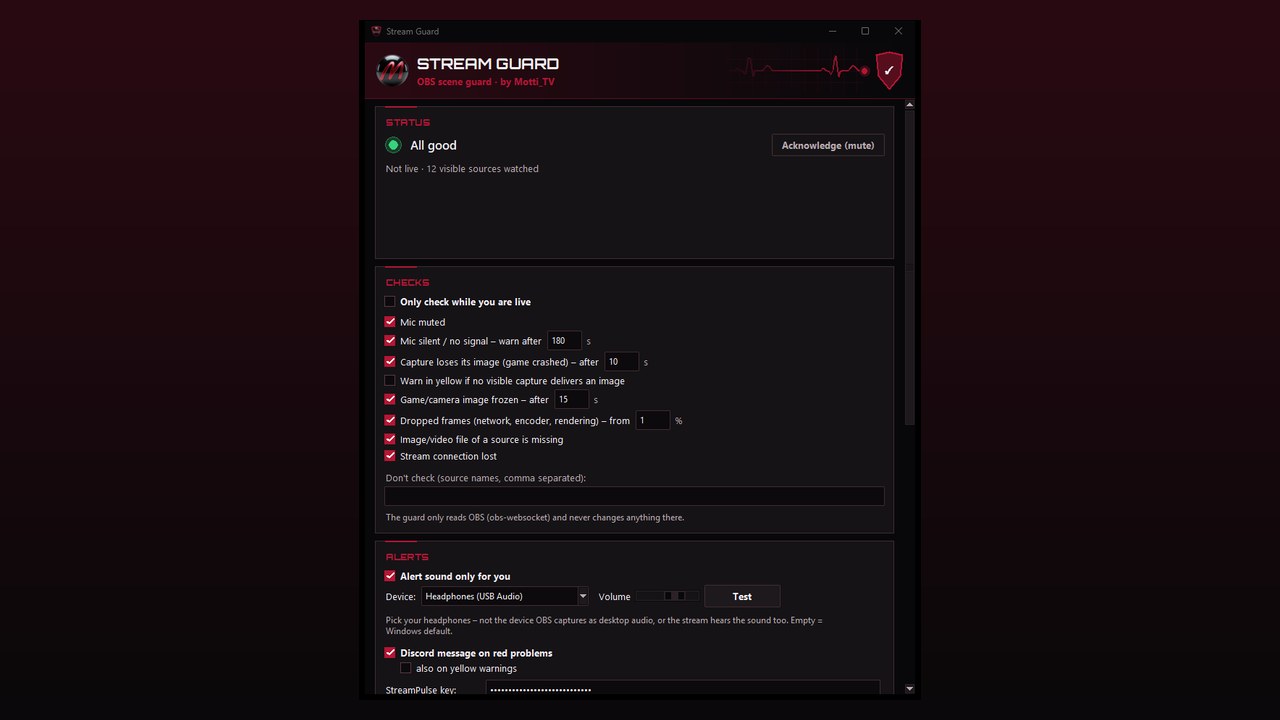
No. It only reads the state of OBS through the built-in WebSocket server – scenes, sources, audio levels and statistics.
No – as long as you pick a device that OBS does not capture, e.g. your headphones.
Sign in at streampulse.mottitv.com, open the “Extras” tab and create your personal key, then paste it into the guard. Alerts arrive as a DM from StreamPulse. A webhook works too.
The app is not code-signed (a certificate costs money every year – too much for a free project), so SmartScreen warns once. Download it only from this page.
No. It is an independent, private project and not affiliated with OBS, Twitch, Discord or Elgato.
Free, private, non-commercial project, provided “as is” without warranty. Privacy